PRIVATE ALPHA · Coming soonWindows app

SetupForgeAlpha 0.2

Local. Private. Free Alpha.

Compare the lap you're working on with a reference at the same point on track. Your telemetry stays on your PC.

Compare the lap you're working on with a reference at the same point on track. Your telemetry stays on your PC.

On your PC

Local. Private. Free Alpha.

SetupForge reads saved iRacing telemetry locally. It does not send that telemetry to SetupForge and runs separately from iRacing.

LocalReads saved iRacing telemetry.
PrivateDoes not send telemetry to SetupForge.
Free AlphaFree to test.
G61Can use a compatible G61 CSV as the reference.

A real lap pair

Start with the gap. Follow it back to the inputs.

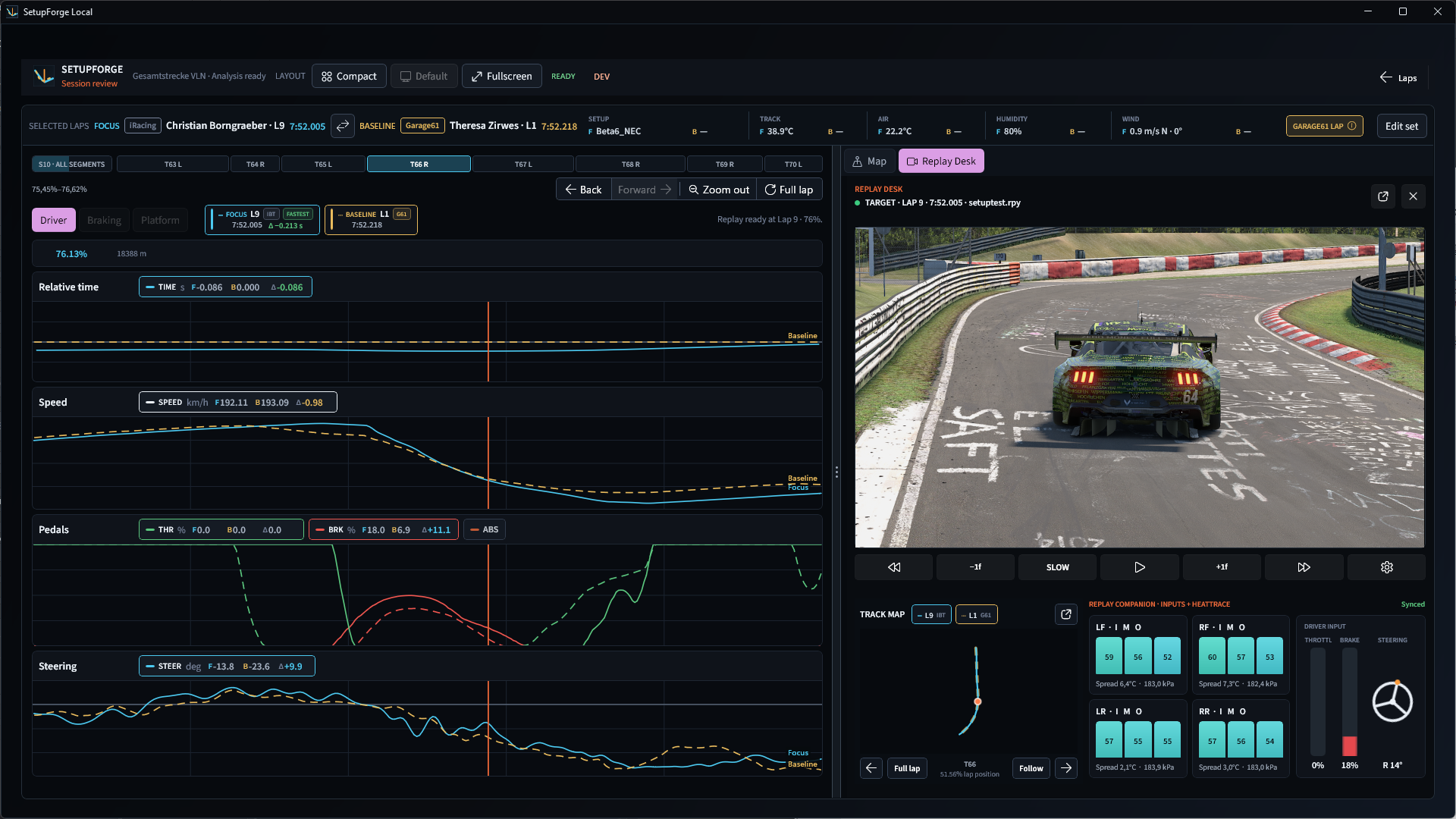
Focus is 1.35 seconds behind Baseline. S10 holds the largest measured loss in this pair: about 0.40 seconds.

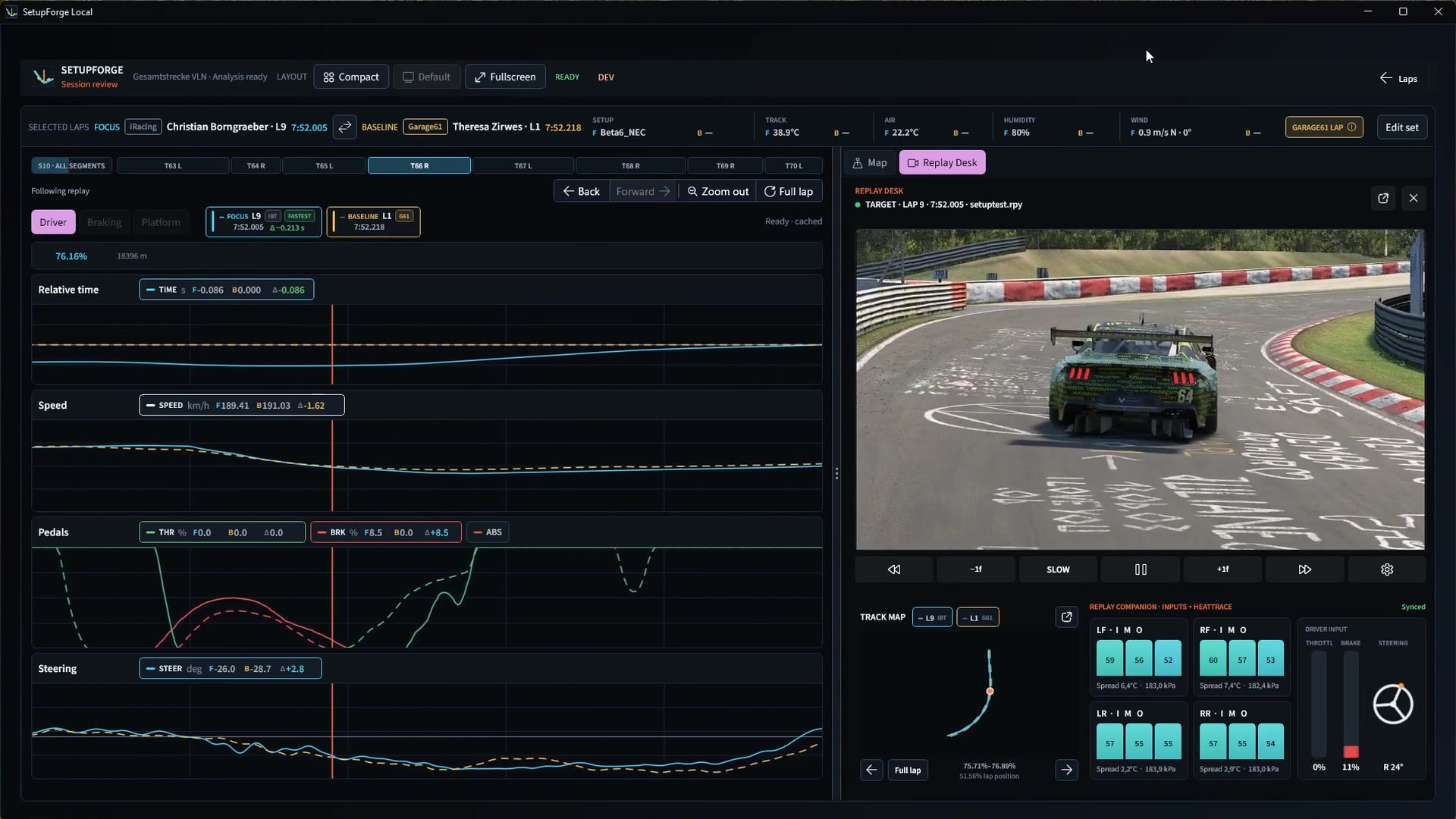
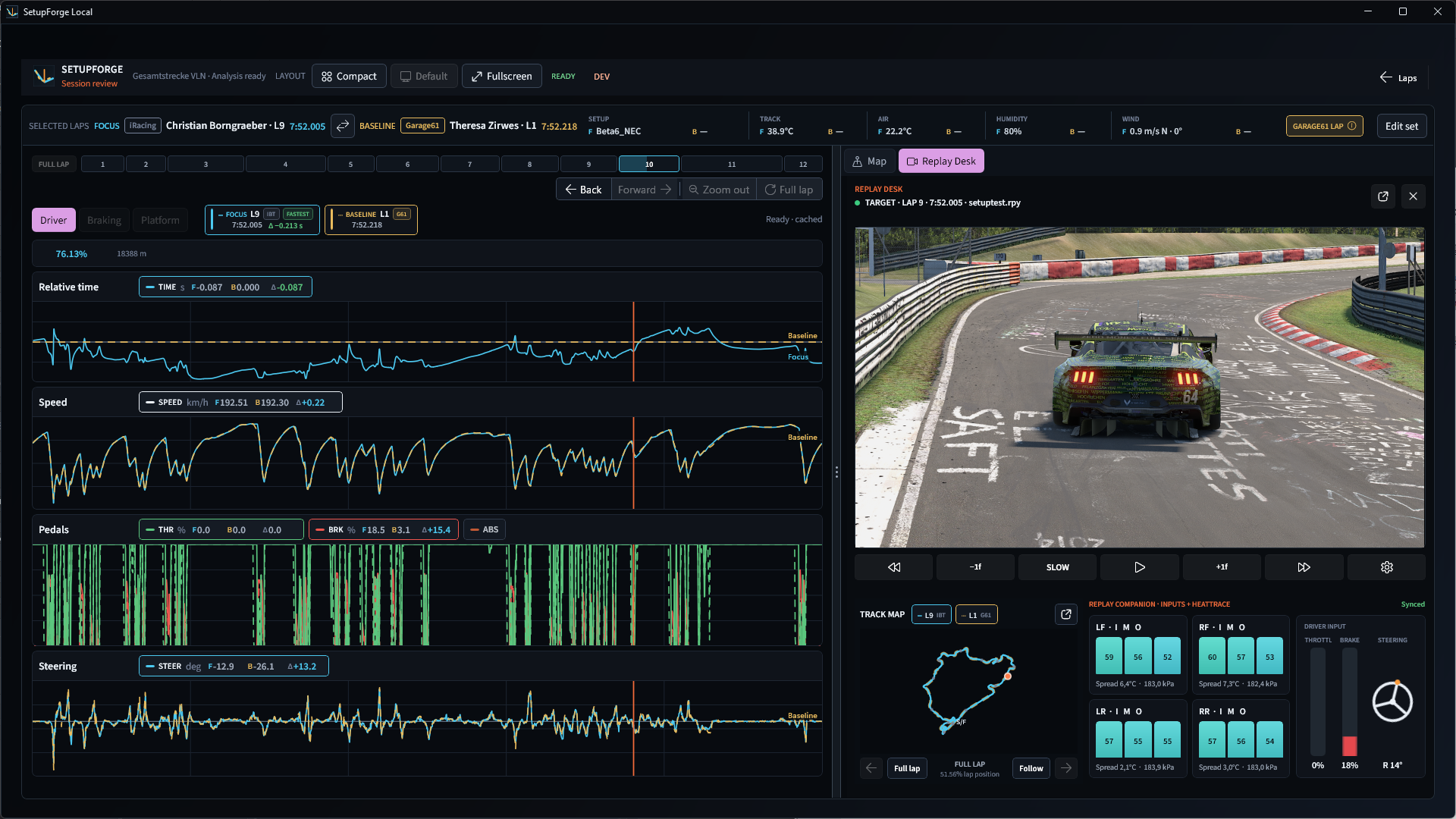
SetupForge Workbench with traces, replay, Track Map and Replay Companion at 1920 by 1080

Replay, map, traces and Companion stay in sync as you move through the lap.

Full-lap comparison of Test2 lap 1 and Beta6 lap 9 in SetupForge

What the inputs show.

Focus brakes 10.7 metres later with a lighter first application, adds a second pulse and returns to sustained full throttle 32.5 metres later.

Brake 10.7 m later Second brake pulse Full throttle 32.5 m later
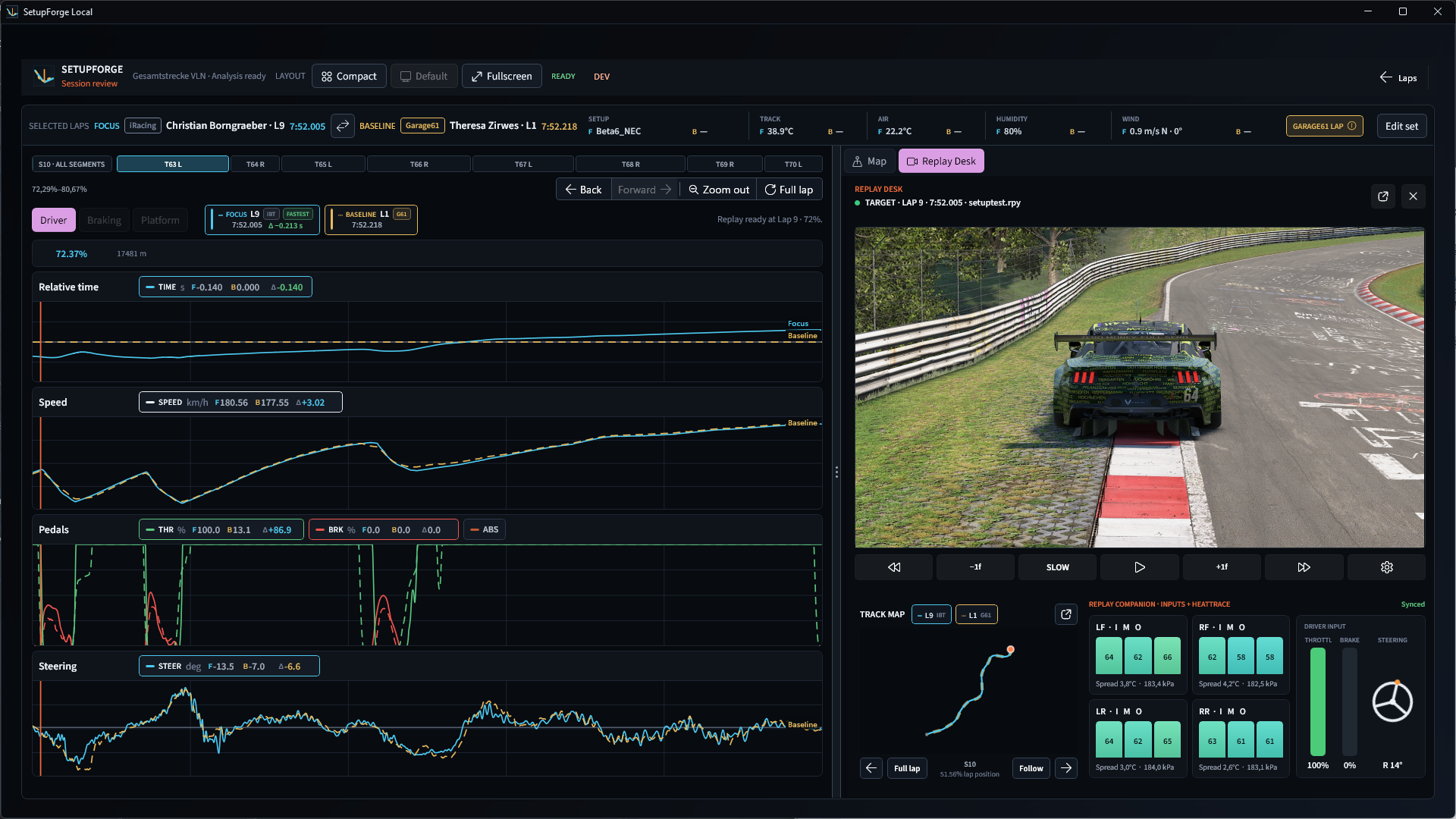
S10 selected with Relative Time and driver traces zoomed to the segment
S10

Zoom in where the gap grows.

This pair loses about 0.401 seconds in S10. Select the segment and the traces redraw around it.

A selected curve showing speed, pedals, steering, map and replay together
One corner

See the controls at the same point.

Speed, pedals, steering, map and replay stay on the selected track position.

Choose the pair

Your lap against a reference.

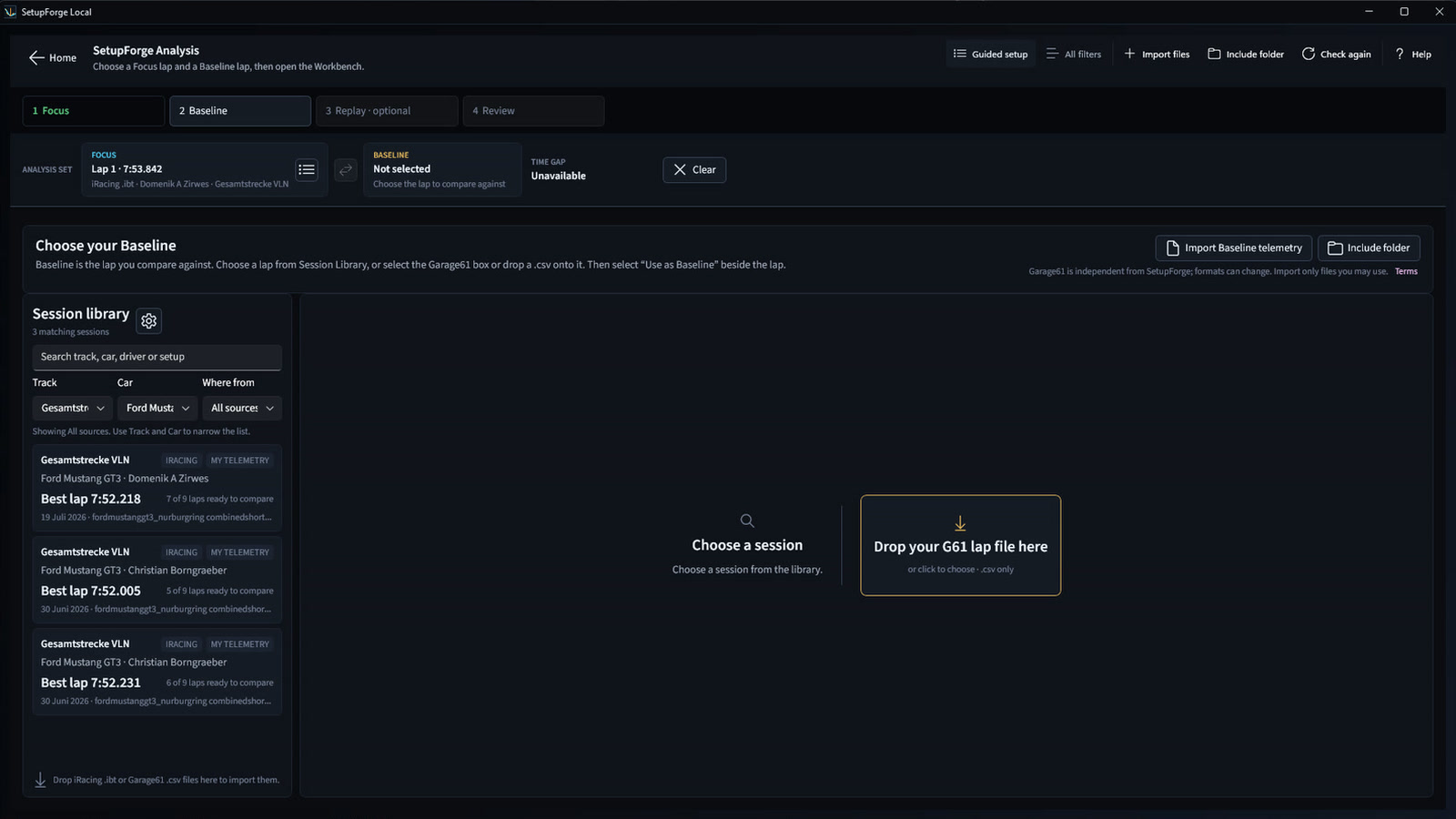
Pick both laps from the Session Library, or import a compatible G61 CSV as the reference.

SetupForge reference picker with Session Library and G61 CSV upload
Choose a reference from the Session Library or import a G61 CSV.
01

Choose your lap

Open the lap you want to review.

02

Add a reference

Pick another local lap or import a G61 CSV.

03

Follow the gap

Move across the lap and zoom in where the gap changes.

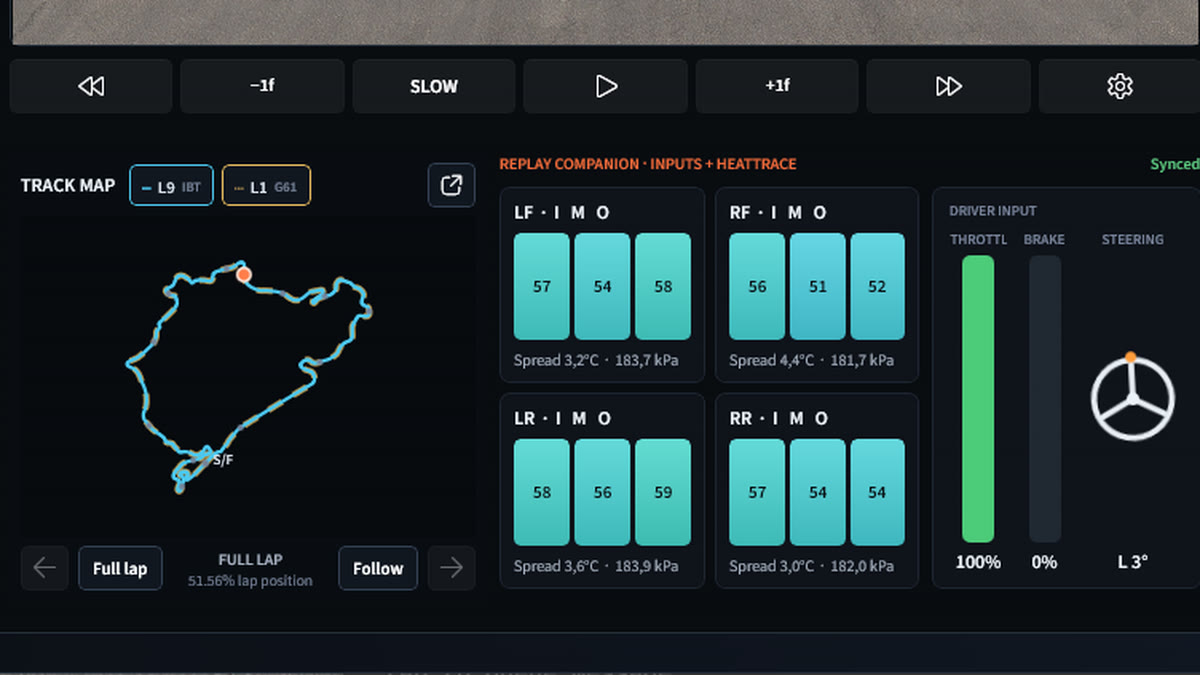
Replay Companion

Keep the replay beside the data.

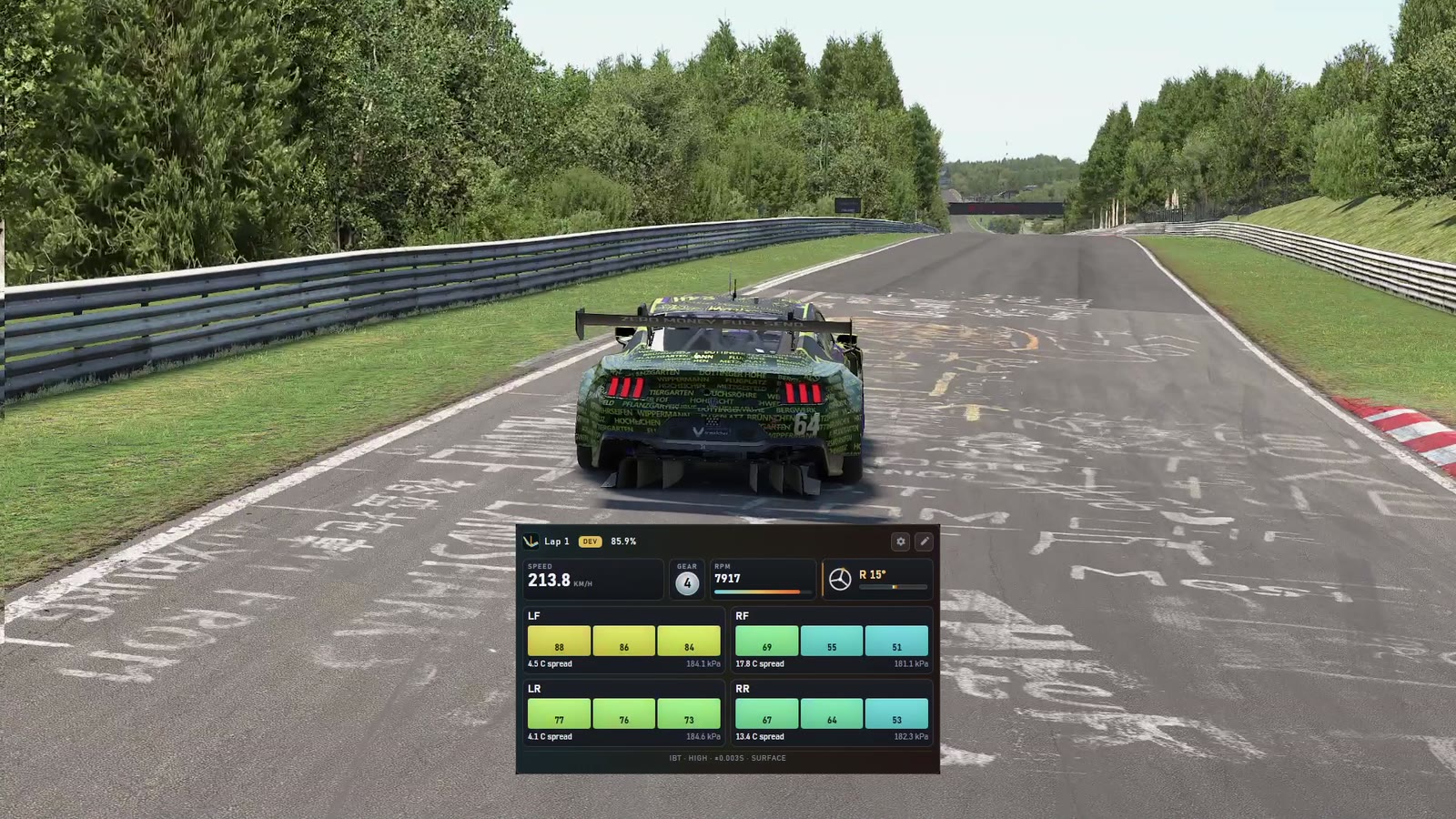
Use the map and replay controls to move through the lap. With matching telemetry, HeatTrace shows tyre temperature, pressure and spread at the same point.

HeatTrace running beside an iRacing replay at the Nordschleife
Replay controls, TrackMap, tyre cards and driver inputs in SetupForge Replay Companion

A good fit if...

You review laps after a session.

  • You run iRacing on Windows.
  • You compare your lap with another driver or one of your own.
  • You want to see where time was gained or lost, not just the final delta.
  • You're happy to test an early build and tell me where it gets in the way.

What you can bring

Local telemetry. Optional replay. G61 reference.

  • Use saved iRacing telemetry from your PC.
  • Import a compatible G61 CSV as the reference.
  • Compare telemetry even when no replay is available.
  • Use matching replay and tyre data when they exist.